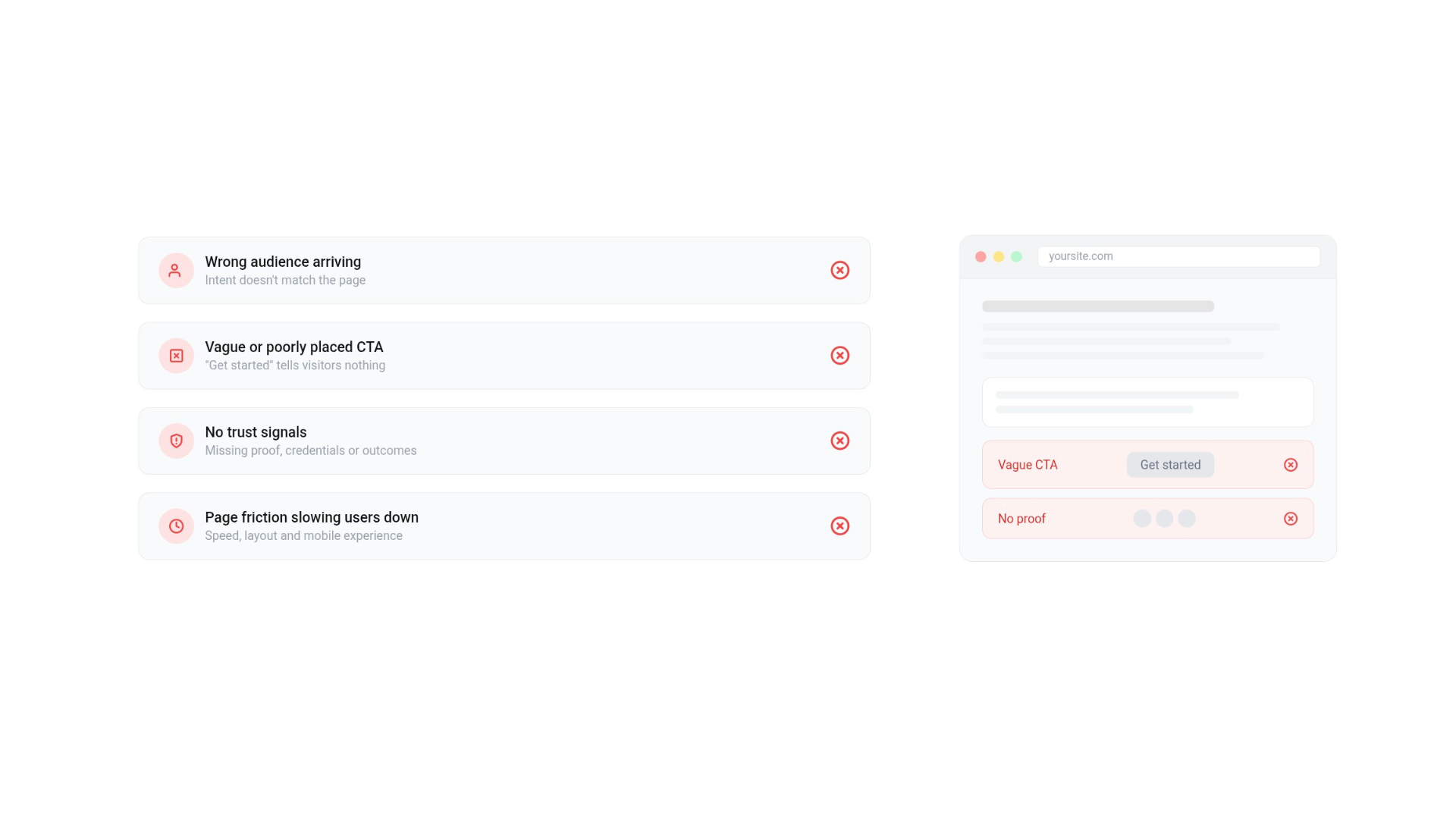
You rank. You get impressions. But clicks? Barely any or not converting?
One of the most common reasons… Search intent doesn’t match your page’s purpose.
In other words, Google may be showing your page for queries that don’t align with what the searcher is really looking for. That mismatch can negatively impact your click-through rate and waste opportunities.
The good news? Spotting these mismatches in Google Search Console (GSC) is quicker than most people think. Here’s a simple two step process to help you find and fix them.
Step 1: Filter Queries by Intent
Inside GSC, head to the Performance Report and apply a Custom (Regex) filter to your queries.
Here are some starting points:
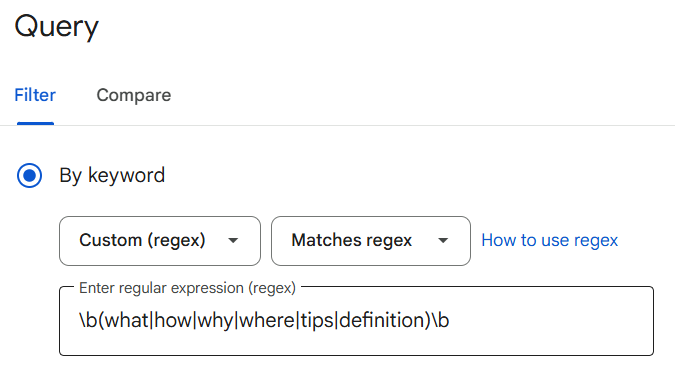
Informational intent (people looking to learn)
\b(what|how|why|where|tips|definition)\b
Transactional intent (people closer to buying)
\b(buy|price|cost|deal|purchase|compare|vs|review|best)\b
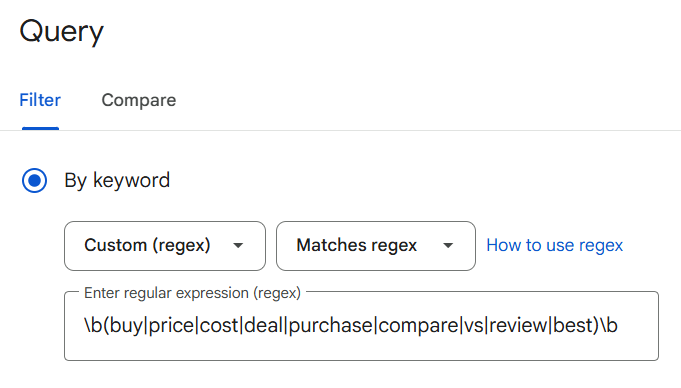
These patterns aren’t perfect, but they’ll help you split queries into buckets of “looking for answers” vs. “ready to take action.”
Step 2: Review the Pages
Now, review which pages are showing up for those queries. The rows to watch are the ones with plenty of impressions and a reasonable position, but a CTR well below what you’d expect. Watch out for:
- Blog posts ranking for transactional terms.
- Product pages showing up for informational queries.
To make this easier, add a Page filter in GSC. You can include or exclude URL patterns like /blog/, /product/, or /category/.
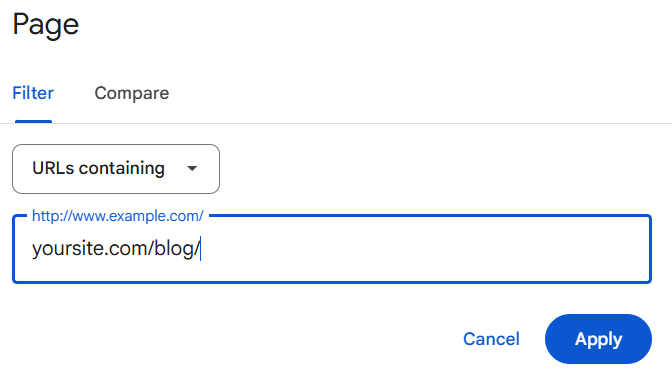
This helps you instantly see whether the page type matches the query type.
A Real Example on an Ecommerce Product Page
I spotted this exact issue on a product page. On the surface it looked fine, plenty of impressions and a decent click volume. But the conversion data in GA4 told a different story: that traffic wasn’t converting, because it wasn’t the right traffic.
Filtering the queries with the informational regex above revealed the problem. The page was ranking for “how” and “what” style searches, people looking to learn, not buy, while the page itself was built to sell. The tell tale signal was a page with strong impressions and a reasonable position, but a click through rate well below what that position should earn.
The fix wasn’t a new page. I realigned the existing one: reworking the on-page copy to better answer the underlying question, tightening the meta title and description to match real intent, and improving the alt text so the content was understood correctly.
The result, over the following three months:
- Average CTR rose from 13.9% to 19.9%
- Average position improved from 8.5 to 6.1
- Clicks grew from 2.07k to 2.3k, on slightly fewer impressions
That last point is an important one, and the reason not to panic when you see it. Impressions dipped slightly because the page stopped surfacing for queries it was never right for, but the clicks went up. That’s intent alignment working, fewer wrong impressions, more right ones.

Why does filtering help?
With these two quick filters, you’ll have a clean list of intent mismatches: queries where your page type doesn’t fit the searcher’s need.
And that means less time spent digging through endless rows of data and more time fixing the actual problem, whether that’s:
- Updating content to better match intent.
- Redirecting traffic to a more suitable page.
- Creating new content that actually aligns with demand.
SEO isn’t just about ranking. It’s about relevance.
The faster you can spot intent mismatches, the faster you can improve clicks, conversions, and overall visibility.
Try these two filters in your next GSC review. It might surprise you how many easy wins are hiding in plain sight.
Need Help Spotting Intent Issues?
This process works great as a quick audit, but if you’d like a deeper review of your site’s intent alignment (and practical fixes to improve clicks and conversions), I can help.
Get in touch about SEO consulting and let’s make sure your content is showing up for the right searches.
Frequently Asked Questions for Keyword Intent Mismatch
What is keyword intent mismatch?
It’s when your page ranks for searches that don’t match what the page is actually for, like a product page showing up for “how to” queries from people who want to learn, not buy. Google shows your page, but the searcher’s need and your page’s purpose don’t line up, so they don’t click.
How do I know if I have an intent mismatch?
The clearest signal in Google Search Console is a page with high impressions, a reasonable average position, but a low click-through rate. That combination usually means you’re being shown for the wrong queries. Filtering those queries by intent with a regex (as above) confirms whether the searches match the page type.
Does intent mismatch hurt my rankings or just my clicks?
Mainly clicks to begin with, you’re visible but not compelling for that search. Over time, though, a persistently low CTR and poor engagement on mismatched queries can feed back into how Google views the page’s relevance, so it’s worth fixing rather than ignoring.
Should I fix the existing page or create a new one?
It depends on the gap. If the page is close to the right intent, realigning the on-page copy, title, meta description and alt text is often enough, as in the example above. If there’s genuine demand for a different intent the page can’t serve, a separate, properly aligned page is the better move.
Why did my impressions drop after fixing a mismatch?
When a page stops surfacing for queries it was never right for, impressions can dip slightly, but the clicks that remain are from people the page genuinely suits. Fewer wrong impressions and more right ones is exactly what you want.