If your rankings are volatile and traffic is flat despite consistent publishing, keyword cannibalisation might be why.
It’s easy to miss, and it tends to get worse the longer you leave it.
What Is Keyword Cannibalisation?
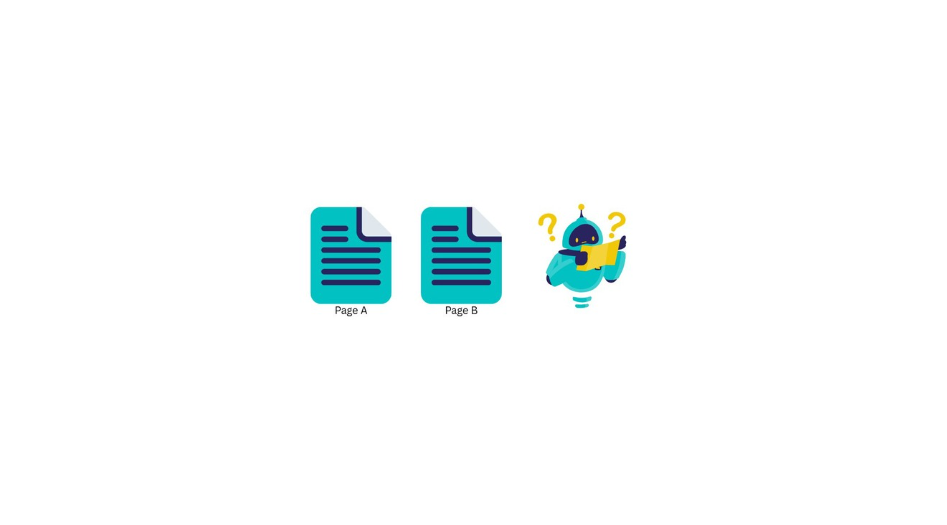
It happens when two or more pages on your site target the same keyword or serve the same search intent.
Instead of one strong page competing for a position, you have multiple weaker ones. Splitting authority. Confusing search engines. Undermining each other.
A common example: a category page at /protein-powder/ and a blog post titled “Best protein powder for recovery” and both are targeting the same query. Google has to pick one. Often it can’t decide and neither ranks as well as a single consolidated page would.
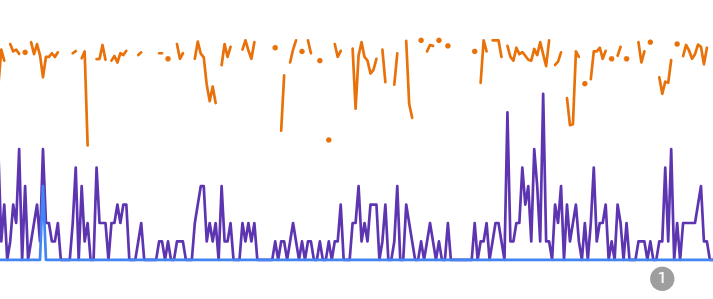
You’ll usually see it in Search Console at page level before you feel it impacting performance. It will look like, volatile average position, the same query bouncing between two URLs and clicks that refuse to grow, plateau or vanish completely.
Why it happens
It’s rarely intentional and usually one of these:
No content map: There’s no record of what each page targets, so the same ground gets covered twice. A blog post from two years ago and a new service page end up competing without anyone noticing.
AI content at scale: AI tools don’t know what you’ve already published. Without a brief that checks for existing coverage, you end up with multiple articles targeting the same core keyword from slightly different angles.
CMS category and tag pages: WordPress automatically generates archive pages for every category and tag you create. Left unmanaged, they compete directly with the content they’re supposed to organise.
Site migrations: Old URLs persist in the index alongside new ones. Without proper redirects and clean up, duplicates compete against each other indefinitely.
Service pages vs blog posts: More common than people realise. A page called “running shorts” and a post called “What are the best running shorts?” can compete in the background for the same query for months.
How to see if you have keyword / page cannibalisation going on
You’ll see it referred to as keyword cannibalisation or page cannibalisation depending on who you ask. Same issue, different label. Here’s how to spot it either way
Head to Search Console (and if you don’t have this set up… do that immediately)
- Go to Performance then, Search Results
- Click into the Queries tab and find your target keyword
- Filter by that query, then switch to the Pages tab
- If more than one URL is getting impressions for the same query, you have a problem
- Check Average Position. If it’s erratic, two pages are likely trading places
When reading this data, bear in mind impression figures have been affected by a known logging error, so cross-reference rather than relying on a single number.
The site: operator
Quick and free. Go to Google and search:
site:yourdomain.com “keyword”
Two or more of your own URLs showing up for the same term is a red flag.
Screaming Frog
Run a full crawl. Export page titles and H1s. Sort alphabetically. Near-duplicate titles targeting the same keyword cluster will jump out. Cross reference with Search Console to confirm.
Ahrefs or Semrush
Both have dedicated cannibalisation reports.
In Ahrefs: Site Explorer > Organic Keywords, filter by query.
In Semrush: Position Tracking > Cannibalization tab.
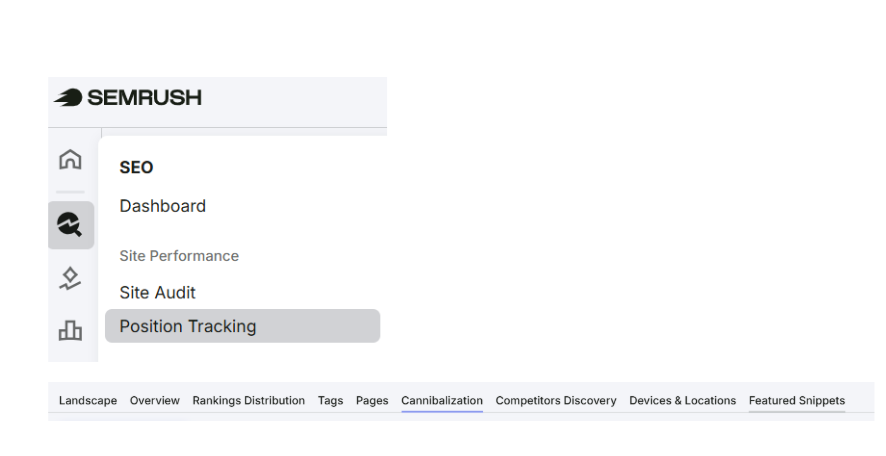
Multiple URLs from your site ranking for the same term will show side by side.
How to fix it
The right fix depends on the situation. Here’s how to choose.
Consolidate and redirect
Two pages. Similar content. Similar intent. Merge the weaker into the stronger, take the best from both, and 301 redirect the old URL. This is usually the highest impact fix as link equity consolidates, Google gets a clear signal and rankings stabilise.
Canonical tags
For pages that need to exist but shouldn’t compete (such as pagination, filtered product pages, near-duplicate landing pages). A rel=”canonical” tag tells Google which URL to prioritise. Worth knowing: canonicals are a signal, not a directive. Google can ignore them. If pages are genuinely duplicated, a redirect is cleaner.
Reoptimise and differentiate
Two pages with genuine, distinct value that are currently too similar in focus. Make a firm distinction. Different keyword, different intent, different angle. Then use internal linking to reinforce which page owns which query.
Fix your internal linking
Sometimes Google keeps surfacing the wrong page simply because your internal links are pointing to it more. Internal links are votes. If you want your services page to rank over your blog post, link to it more, with the right anchor text. (No generic “here”, “read more”)
Deindex as a last resort
No traffic, backlinks and serves no real value. Then removing it from the index is fine. But check for internal links pointing to it first. Deindexing without doing that creates broken links and a new problem to fix.
Not sure which fix to use?
| Situation | Fix |
|---|---|
| Pages are nearly identical | Consolidate + 301 |
| Pages need to exist but not compete | Canonical tag |
| Pages cover distinct subtopics | Reoptimise + differentiate |
| Wrong page keeps ranking | Strengthen internal linking |
| Page has no value, no links | Deindex |
How to prevent it recurring
Fixing it once is worthwhile. Not having to fix it again is better.
Build a keyword map: Every page gets a primary keyword. One page owns it. Absolutely no exceptions. A spreadsheet is fine, it doesn’t need to be a complicated system.
Brief properly: Before anything gets written, check what already exists. Your writers can’t avoid covering the same ground if they don’t know what’s already there. Create a content brief if you don’t have this process. Include primary and secondary keywords to cover.
Audit your CMS: If you’re on WordPress, check whether category and tag pages are indexed. In most cases they should be noindexed or properly optimised and not left to compete with your posts.
Run a quarterly audit: Search Console volatility caught early is a quick fix. Left for two years, can be a time consuming task of untangling, reviewing and re-structuring.
Need help with this?
Keyword cannibalisation is one of the most common issues I find during SEO audits.
If your rankings are volatile, traffic is flat despite publishing, or you’re not sure which pages are working against each other, a content audit is a good place to start.
Not sure where to start, get in touch.